玩法
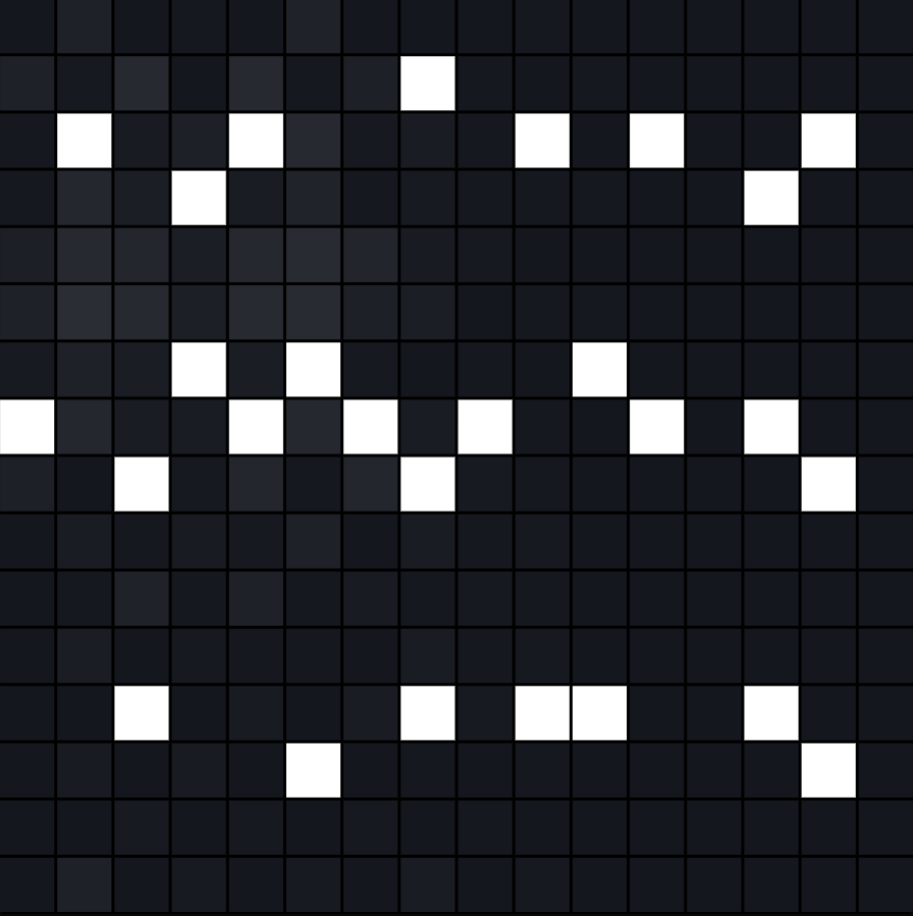
在PC上:鼠标点击并拖动,即可点亮光标经过的网格;除此以外,鼠标移动时还会产生波纹。
在移动端上:点击网格即可。
五阶音阶模式
该模式强制网格为16行,列数不限。从上到下依次按五阶音阶排列(1 2 3 5 6),整个网格中任意两个音符组合不会产生不谐和音,使得用户即使随意点击也能产生悦耳的旋律。
自由模式
该模式行列均不限制,每行之间相差一个半音。
使用方法
HTML
    <canvas id="grid1"></canvas>

    <canvas id="grid2"></canvas>

    <!-- script 引入 -->
    <script src="https://www.wenzhimo.xyz/wp-content/uploads/2026/01/Crystal-Ripple.js"></script>

    <script>
        /* 默认参数实例 */
        new CrystalRippleGrid("grid1");
        /*等价于
        new CrystalRippleGrid("grid1", {
                rows: 16,//行数
                cols: 16,//列数
                bpm: 120,//播放速度
                canvasSize: 600,//画布大小

                rippleClick: 400,//鼠标按下或拖动绘制时产生的波纹强度
                ripplePlay: 600,//播放头扫描到激活格子时产生的波纹强度
                rippleHover: 100,//鼠标悬停(未按下)时产生的波纹强度

                rippleColorClick: [80, 180, 255],//鼠标点击 / 绘制波纹的颜色权重
                rippleColorPlay: [255, 255, 255],//播放触发波纹的颜色权重
                rippleColorHover: [60, 120, 180],//鼠标悬停波纹的颜色权重

                cellActiveColor: [255, 255, 255],//被激活(可播放)的格子基础颜色
                cellInactiveColor: [20, 24, 30],//未激活格子的基础颜色

                damping: 0.7, //波纹高度场的阻尼系数,即波纹传播距离,取值0~1
                physicsSkip: 3,//物理更新跳帧数,表示每渲染 physicsSkip 帧才计算一次波纹传播。
                gap: 2,//单元格间距


                scaleMode: "pentatonic16",          //模式:自由模式和五阶音阶模式 "free" | "pentatonic16",后者强制网格为16行
                rootMidi: 90                // pentatonic模式的 根音(C4 = 60)
            });
        */
        /* 自定义参数实例 */

        new CrystalRippleGrid("grid2", {
            scaleMode: "free",
            rows: 12,
            cols: 24,
            bpm: 120,
            rippleColorClick: [255, 15, 15],//鼠标点击 / 绘制波纹的颜色权重
            rippleColorPlay: [255, 15, 15],//播放触发波纹的颜色权重
            rippleColorHover: [255, 15, 15],//鼠标悬停波纹的颜色权重
        });

</script>源代码
Crystal-Ripple.js
JavaScript
(function (global) {

    class CrystalRippleGrid {

        constructor(canvasId, options = {}) {

            this.cfg = Object.assign({
                rows: 16,
                cols: 16,
                bpm: 120,
                canvasSize: 600,

                rippleClick: 400,
                ripplePlay: 600,
                rippleHover: 100,

                rippleColorClick: [80, 180, 255],
                rippleColorPlay: [255, 255, 255],
                rippleColorHover: [60, 120, 180],

                cellActiveColor: [255, 255, 255],
                cellInactiveColor: [20, 24, 30],

                damping: 0.7,
                physicsSkip: 3,
                gap: 2,

                scaleMode: "pentatonic16", // "pentatonic16" | "free"
                rootMidi: 90,
            }, options);

            if (this.cfg.scaleMode === "pentatonic16") {
                this.cfg.rows = 16;
            }

            this.rows = this.cfg.rows;
            this.cols = this.cfg.cols;

            this.canvas = document.getElementById(canvasId);
            if (!this.canvas) throw new Error("Canvas not found: " + canvasId);

            this.ctx = this.canvas.getContext("2d");
            this.dpr = window.devicePixelRatio || 1;

            this.resizeCanvas();

            this.cellSize =
                (this.cfg.canvasSize - this.cfg.gap * (this.cols + 1)) / this.cols;

            this.grid = Array.from({ length: this.rows },
                () => Array(this.cols).fill(false));

            this.ripplePrev = this.makeField();
            this.rippleCurr = this.makeField();

            this.rippleSource = Array.from(
                { length: this.rows },
                () => Array(this.cols).fill(null)
            );

            this.initAudio();
            this.bindEvents();

            this.frame = 0;
            this.col = 0;
            this.nextTime = this.audioCtx.currentTime + 0.1;

            this.scheduler();
            this.draw();
        }

        resizeCanvas() {
            const s = this.cfg.canvasSize;
            this.canvas.width = s * this.dpr;
            this.canvas.height = s * this.dpr;
            this.canvas.style.width = s + "px";
            this.canvas.style.height = s + "px";
            this.ctx.setTransform(this.dpr, 0, 0, this.dpr, 0, 0);
        }

        makeField() {
            return Array.from({ length: this.rows },
                () => Array(this.cols).fill(0));
        }

        bindEvents() {
            let isDown = false;
            let drawMode = true;
            let last = { x: -1, y: -1 };

            const getCell = e => {
                const r = this.canvas.getBoundingClientRect();
                const mx = (e.clientX - r.left) * (this.cfg.canvasSize / r.width);
                const my = (e.clientY - r.top) * (this.cfg.canvasSize / r.height);

                const stride = this.cellSize + this.cfg.gap;
                const x = Math.floor((mx - this.cfg.gap) / stride);
                const y = Math.floor((my - this.cfg.gap) / stride);

                if (x < 0 || y < 0 || x >= this.cols || y >= this.rows) {
                    return null;
                }
                return { x, y };
            };

            this.canvas.addEventListener("mousedown", e => {
                const c = getCell(e);
                if (!c) return;

                isDown = true;
                drawMode = !this.grid[c.y][c.x];

                if (this.audioCtx.state === "suspended") {
                    this.audioCtx.resume();
                }

                this.grid[c.y][c.x] = drawMode;
                this.triggerRipple(c.x, c.y, this.cfg.rippleClick, "click");
            });

            this.canvas.addEventListener("mousemove", e => {
                const c = getCell(e);
                if (!c) return;
                if (c.x === last.x && c.y === last.y) return;
                last = c;

                if (isDown) {
                    this.grid[c.y][c.x] = drawMode;
                    this.triggerRipple(c.x, c.y, this.cfg.rippleClick, "click");
                } else {
                    this.triggerRipple(c.x, c.y, this.cfg.rippleHover, "hover");
                }
            });

            window.addEventListener("mouseup", () => {
                isDown = false;
                last = { x: -1, y: -1 };
            });
        }

        initAudio() {
            this.audioCtx = new (window.AudioContext || window.webkitAudioContext)();

            if (this.cfg.scaleMode === "pentatonic16") {
                // 大调五声音阶:1 2 3 5 6
                const scale = [0, 2, 4, 7, 9];
                this.midiTable = Array.from({ length: this.rows }, (_, row) => {
                    const degree = row % 5;
                    const octave = Math.floor(row / 5);
                    return this.cfg.rootMidi - scale[degree] - octave * 12;
                });
            } else {
                this.midiTable = Array.from({ length: this.rows }, (_, i) =>
                    this.cfg.rootMidi - i
                );
            }
        }

        midiToFreq(m) {
            return 440 * Math.pow(2, (m - 69) / 12);
        }

        // —— 水晶音色 ——
        playNote(freq, t = this.audioCtx.currentTime) {
            const ctx = this.audioCtx;

            const gain = ctx.createGain();
            const attack = freq > 1200 ? 0.01 : 0.004;

            gain.gain.setValueAtTime(0.0001, t);
            gain.gain.exponentialRampToValueAtTime(0.25, t + attack);
            gain.gain.exponentialRampToValueAtTime(0.0001, t + 0.5);

            const hp = ctx.createBiquadFilter();
            hp.type = "highpass";
            hp.frequency.setValueAtTime(
                Math.min(freq * 2.0, 1800),
                t
            );

            const lp = ctx.createBiquadFilter();
            lp.type = "lowpass";
            lp.frequency.value = 8000;

            hp.connect(lp);
            lp.connect(gain);
            gain.connect(ctx.destination);

            const brightness = Math.max(0.3, 1.5 - freq / 1500);

            [1, 2.01, 3.98].forEach((m, i) => {
                const o = ctx.createOscillator();
                const og = ctx.createGain();

                o.type = "sine";
                o.frequency.value = freq * m;
                o.detune.value = i === 1 ? 3 : i === 2 ? -4 : 0;

                og.gain.value = brightness / m;

                o.connect(og);
                og.connect(hp);

                o.start(t);
                o.stop(t + 0.55);
            });
        }


        triggerRipple(x, y, strength, source) {
            this.ripplePrev[y][x] += strength;
            this.rippleSource[y][x] = source;
        }

        updateRipples() {
            for (let y = 0; y < this.rows; y++) {
                for (let x = 0; x < this.cols; x++) {

                    let sum = 0;
                    let maxH = 0;
                    let src = null;

                    const n = [
                        [x - 1, y],
                        [x + 1, y],
                        [x, y - 1],
                        [x, y + 1]
                    ];

                    for (const [nx, ny] of n) {
                        if (this.ripplePrev[ny] && this.ripplePrev[ny][nx] !== undefined) {
                            const h = this.ripplePrev[ny][nx];
                            sum += h;
                            if (Math.abs(h) > maxH) {
                                maxH = Math.abs(h);
                                src = this.rippleSource[ny][nx];
                            }
                        }
                    }

                    const v = sum / 2 - this.rippleCurr[y][x];
                    this.rippleCurr[y][x] = v * this.cfg.damping;
                    this.rippleSource[y][x] = src;
                }
            }

            [this.ripplePrev, this.rippleCurr] =
                [this.rippleCurr, this.ripplePrev];
        }

        scheduler() {
            while (this.nextTime < this.audioCtx.currentTime + 0.1) {
                const c = this.col;
                const t = this.nextTime;

                setTimeout(() => {
                    for (let r = 0; r < this.rows; r++) {
                        if (this.grid[r][c]) {
                            this.playNote(this.midiToFreq(this.midiTable[r]), t);
                            this.triggerRipple(c, r, this.cfg.ripplePlay, "play");
                        }
                    }
                }, (t - this.audioCtx.currentTime) * 1000);

                this.nextTime += (60 / this.cfg.bpm) / 4;
                this.col = (this.col + 1) % this.cols;
            }
            requestAnimationFrame(() => this.scheduler());
        }

        draw() {
            // 防止 transform 漂移
            this.ctx.setTransform(this.dpr, 0, 0, this.dpr, 0, 0);

            this.frame++;
            if (this.frame % this.cfg.physicsSkip === 0) {
                this.updateRipples();
            }

            this.ctx.clearRect(0, 0, this.cfg.canvasSize, this.cfg.canvasSize);

            for (let y = 0; y < this.rows; y++) {
                for (let x = 0; x < this.cols; x++) {

                    const isActive = this.grid[y][x];
                    let r, g, b;

                    if (isActive) {
                        [r, g, b] = this.cfg.cellActiveColor;
                    } else {
                        const base = this.cfg.cellInactiveColor;

                        let rc = [0, 0, 0];
                        switch (this.rippleSource[y][x]) {
                            case "click": rc = this.cfg.rippleColorClick; break;
                            case "play": rc = this.cfg.rippleColorPlay; break;
                            case "hover": rc = this.cfg.rippleColorHover; break;
                        }

                        const h = Math.abs(this.ripplePrev[y][x]);
                        const e = Math.min(h / 800, 1);

                        r = Math.min(255, base[0] + rc[0] * e);
                        g = Math.min(255, base[1] + rc[1] * e);
                        b = Math.min(255, base[2] + rc[2] * e);
                    }

                    this.ctx.fillStyle = `rgb(${r},${g},${b})`;

                    const px = x * (this.cellSize + this.cfg.gap) + this.cfg.gap;
                    const py = y * (this.cellSize + this.cfg.gap) + this.cfg.gap;

                    this.ctx.fillRect(px, py, this.cellSize, this.cellSize);
                }
            }

            requestAnimationFrame(() => this.draw());
        }
    }

    global.CrystalRippleGrid = CrystalRippleGrid;

})(window);
发表回复