
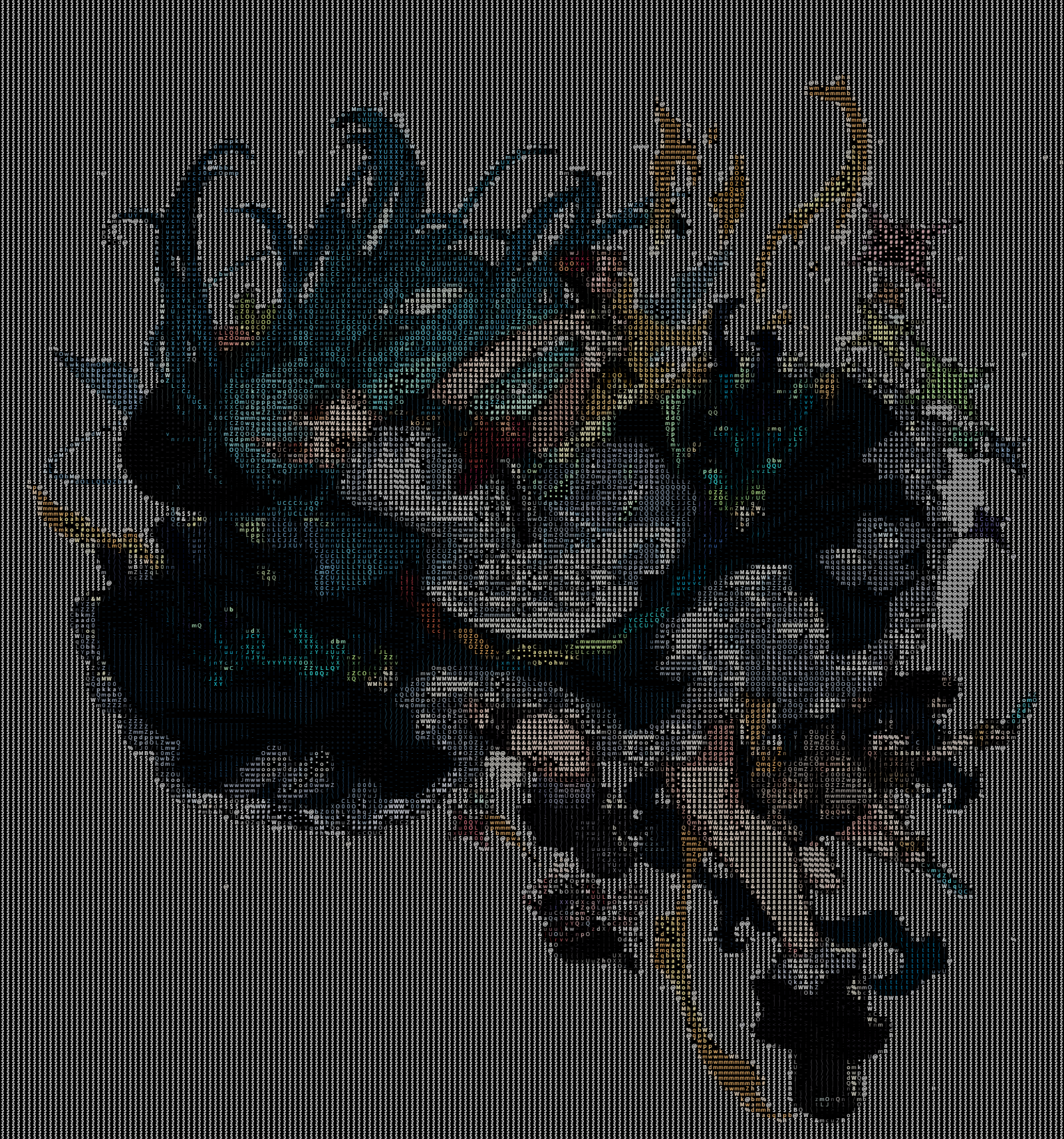
第一张为随机图片,第二张为固定图片
点击查看随机一张图
点击查看固定图片
使用方法:
HTML
<div class="player-wrapper">
        <canvas id="ascCanvas" style="width: 100%;height: 100%;display: block;"></canvas>
    </div>
<div class="player-wrapper">
        <canvas id="ascCanvas2" style="width: 100%;height: 100%;display: block;"></canvas>
    </div>
<script src="https://www.wenzhimo.xyz/wp-content/uploads/2026/01/asc_player.js"></script>
<script>
const API_ENDPOINT = 'https://www.wenzhimo.xyz/api/random_asc.php';
// 如果是 URL 直连模式,填入具体文件地址
const DIRECT_FILE = 'https://www.wenzhimo.xyz/wp-content/uploads/image/output_photo/BangDream!/twitter_GGnn(@GGnn0529)_20250302-105026_1896151104288899277_gif.asc2';
let player = new ASCPlayer('ascCanvas', {
            fontFamily: 'Courier New',
            sourceType: 'api',       // 模式: 'api' 或 'url'
            sourceUrl: API_ENDPOINT  // 对应的值
        });
let player2 = new ASCPlayer('ascCanvas2', {
            fontFamily: 'Courier New',
            sourceType: 'url',       // 模式: 'api' 或 'url'
            sourceUrl: DIRECT_FILE // 对应的值
        });
</script>协议规范
ASC 二进制协议规范
本规范定义两种 ASCII 图像/动画编码格式:
- ASC2:动态图像(GIF / 视频),基于全局调色板 + 帧差分编码
- ASC3:静态图像,真彩色,基于 RLE / RAW 指令流
本规范面向 编码器与解码器实现者。
一、通用约定(General Conventions)
- 字节序:Little Endian(小端)
- 字符集:ASCII(1 字节)
- 网格顺序:
- 行优先(Row-major)
- 从左到右,从上到下
- 索引 0 表示左上角网格
- 网格定义:
- 一个“网格”对应一个 ASCII 字符单元
- 网格数量 = CharWidth × CharHeight
二、ASC2:动态图像协议
2.1 文件结构总览
ShellScript
[Header]
[Palette]
[Frame 0]
[Frame 1]
...
[Frame N-1]
2.2 Header(固定长度 21 字节)
| 偏移 | 字段名 | 类型 | 大小 | 说明 |
|---|---|---|---|---|
| 0x00 | Magic | char[4] | 4 | 固定为 “ASC2” |
| 0x04 | Block Size | uint8 | 1 | 缩放比例(像素 → 字符) |
| 0x05 | Width | uint32 | 4 | 原始图像宽度(像素) |
| 0x09 | Height | uint32 | 4 | 原始图像高度(像素) |
| 0x0D | FPS | float32 | 4 | 帧率 |
| 0x11 | Frame Count | uint32 | 4 | 总帧数 |
字符网格尺寸计算规则:
ShellScriptCharWidth = max(1, floor(Width / BlockSize)) CharHeight = max(1, floor(Height / BlockSize))
2.3 Palette(全局调色板)
| 字段 | 类型 | 说明 |
|---|---|---|
| Palette Count | uint16 | 调色板颜色数量 N |
| Color Data | N × 3 bytes | RGBRGB… |
- 每个颜色为 量化后的 RGB888
- 实际有效位为高 5 位(RGB555),低 3 位恒为 0
2.4 Frame 数据结构
每一帧由以下部分组成:
| 字段 | 类型 | 说明 |
|---|---|---|
| Data Size | uint32 | 当前帧指令流字节数 |
| Command Stream | bytes | 帧指令流 |
2.5 指令流(Command Stream)
指令流由一系列 OpCode 顺序组成,直到填满全部网格。
OP_SKIP (0x00)
跳过 N 个网格,保持上一帧内容。
| 字段 | 类型 | 大小 |
|---|---|---|
| Opcode | uint8 | 1 |
| Count | uint16 | 2 |
OP_UPDATE (0x01)
更新接下来的 N 个网格。
| 字段 | 类型 | 大小 |
|---|---|---|
| Opcode | uint8 | 1 |
| Count | uint16 | 2 |
| Chars | uint8[N] | N |
| Color Index | uint16[N] | 2N |
2.6 ASC2 示例字节流(简化)
假设:
- Block Size = 8
- 原始尺寸 = 16 × 8 → 网格 = 2 × 1
- Palette = 2 colors
ShellScript
41 53 43 32        # 'ASC2'
08                 # Block Size
10 00 00 00        # Width = 16
08 00 00 00        # Height = 8
00 00 20 41        # FPS = 10.0
01 00 00 00        # Frame Count = 1

02 00              # Palette Count = 2
F8 00 00           # Color 0 (Red)
00 F8 00           # Color 1 (Green)

0B 00 00 00        # Frame Data Size = 11
01 02 00           # OP_UPDATE, Count = 2
41 42              # 'A', 'B'
00 00 01 00        # Color indices
三、ASC3:静态图像协议
3.1 文件结构
ShellScript
[Header]
[Body (Command Stream)]
3.2 Header(固定长度 13 字节)
| 偏移 | 字段 | 类型 | 大小 | 说明 |
|---|---|---|---|---|
| 0x00 | Magic | char[4] | 4 | 固定为 “ASC3” |
| 0x04 | Block Size | uint8 | 1 | 缩放比例 |
| 0x05 | Width | uint32 | 4 | 原始图像宽度 |
| 0x09 | Height | uint32 | 4 | 原始图像高度 |
字符网格尺寸计算规则同 ASC2。
3.3 Body(指令流)
ASC3 不支持 OP_SKIP,仅包含以下两种指令。
OP_RLE (0x00)
用于压缩连续重复网格。
| 字段 | 类型 | 大小 |
|---|---|---|
| Opcode | uint8 | 1 |
| Count | uint16 | 2 |
| Char | uint8 | 1 |
| Color | uint8[3] | 3 |
- 总大小:7 字节
- 通常在 Count ≥ 2 时使用
OP_RAW (0x01)
用于存储不重复的网格。
| 字段 | 类型 | 大小 |
|---|---|---|
| Opcode | uint8 | 1 |
| Count | uint16 | 2 |
| Pixels | N × 4 bytes | Char + RGB |
3.4 ASC3 示例字节流(简化)
假设:
- Block Size = 8
- 原始尺寸 = 16 × 8 → 网格 = 2 × 1
ShellScript
41 53 43 33        # 'ASC3'
08                 # Block Size
10 00 00 00        # Width = 16
08 00 00 00        # Height = 8

01 02 00           # OP_RAW, Count = 2
41 FF 00 00        # 'A', Red
42 00 FF 00        # 'B', Green
四、兼容性与实现注意事项
- 解码器必须严格按 Block Size 计算字符网格尺寸
- 指令流必须完全填满 CharWidth × CharHeight
- ASC2 的第一帧等价于“全 UPDATE 帧”
- 建议解码器在调试模式下验证网格计数一致性
本规范版本:1.0
编码器实现(python)
Python
import os
import sys
import struct
import re
import argparse
import math
from pathlib import Path
from PIL import Image
import cv2
import numpy as np

# --- 协议常量 ---
ASCII_CHARS = "$@B%8&WM#*oahkbdpqwmZO0QLCJUYXzcvunxrjft/\|()1{}[]?-_+~<>i!lI;:,\"^`'. "


# --- 工具函数 ---

def sanitize_filename(filename):
    """
    清洗文件名:移除 Nginx 可能无法解析的字符(如 Emoji、中文、特殊符号)。
    只保留字母、数字、点、下划线、减号。
    """
    # 分离扩展名,防止扩展名也被清洗掉(虽然由我们控制,但为了保险)
    name, ext = os.path.splitext(filename)
    _EMOJI_RE = re.compile(
        u"[\U00010000-\U0010ffff]"
        u"|[\u2600-\u27ff]"
        u"|[\ufe0f]"
    )
    clean = _EMOJI_RE.sub("", name)
    safe_name = clean.strip()
    # 正则替换:非 ASCII 字母数字 . _ - 的全部替换为空

    # 如果清洗后为空,给默认名
    if not safe_name:
        safe_name = "untitled"

    return safe_name + ext


def get_unique_filepath(directory, filename):
    """
    检查文件是否存在,如果存在则添加后缀 _1, _2 等。
    """
    name, ext = os.path.splitext(filename)
    counter = 1
    new_filename = filename
    full_path = os.path.join(directory, new_filename)

    while os.path.exists(full_path):
        new_filename = f"{name}_{counter}{ext}"
        full_path = os.path.join(directory, new_filename)
        counter += 1

    return full_path, new_filename


def pixel_to_char(gray_val):
    """将灰度值 (0-255) 映射到 ASCII 字符"""
    length = len(ASCII_CHARS)
    return ASCII_CHARS[int(gray_val / 256 * length)]


def resize_image(image, block_size):
    """根据 Block Size 调整图像大小"""
    orig_w, orig_h = image.size
    new_w = max(1, math.floor(orig_w / block_size))
    new_h = max(1, math.floor(orig_h / block_size))
    # 使用 Nearest 保持像素硬边,或者 LANCZOS 获得更好平滑度,这里用 LANCZOS
    return image.resize((new_w, new_h), Image.Resampling.LANCZOS), new_w, new_h


# --- ASC3 (静态图像) 编码器 ---

def encode_asc3(image_path, output_path, block_size):
    img = Image.open(image_path).convert('RGB')
    orig_w, orig_h = img.size

    # 1. 缩放
    resized_img, char_w, char_h = resize_image(img, block_size)
    pixels = np.array(resized_img)  # Shape: (h, w, 3)
    gray = resized_img.convert('L')
    gray_pixels = np.array(gray)

    # 2. 构建 Header (13 bytes)
    # Magic(4) + Block(1) + W(4) + H(4)
    header = struct.pack('<4sBII', b'ASC3', block_size, orig_w, orig_h)

    # 3. 构建指令流
    command_stream = bytearray()

    # 将图像展平处理
    # 生成 grid 数据: list of (char_byte, r, g, b)
    grid_data = []
    for y in range(char_h):
        for x in range(char_w):
            char = pixel_to_char(gray_pixels[y, x]).encode('ascii')[0]
            r, g, b = pixels[y, x]
            grid_data.append((char, r, g, b))

    total_grids = len(grid_data)
    idx = 0

    while idx < total_grids:
        # 尝试 RLE
        # 查找连续相同的网格
        run_len = 1
        while (idx + run_len < total_grids and
               grid_data[idx + run_len] == grid_data[idx] and
               run_len < 65535):
            run_len += 1

        # 决策:RLE 还是 RAW
        # RLE 开销: 1(Op) + 2(Cnt) + 1(Char) + 3(RGB) = 7 bytes
        # RAW 开销: 1(Op) + 2(Cnt) + N * 4 bytes

        # 如果重复超过 1 次,RLE (7 bytes) 优于 RAW (1+2+4+4 = 11 bytes)
        # 即使只有 2 个重复,RLE=7, RAW=11。
        if run_len >= 2:
            # 写入 OP_RLE (0x00)
            char, r, g, b = grid_data[idx]
            cmd = struct.pack('<BHB3B', 0x00, run_len, char, r, g, b)
            command_stream.extend(cmd)
            idx += run_len
        else:
            # 写入 OP_RAW (0x01)
            # 查找接下来多少个是不重复的 (或者重复长度<2的)
            raw_end = idx
            while raw_end < total_grids:
                # 检查是否可以开始一段新的 RLE (至少2个相同)
                if (raw_end + 1 < total_grids and
                        grid_data[raw_end + 1] == grid_data[raw_end]):
                    break
                raw_end += 1
                if raw_end - idx >= 65535:  # uint16 limit
                    break

            count = raw_end - idx
            # 只有1个也是 RAW
            cmd_header = struct.pack('<BH', 0x01, count)
            command_stream.extend(cmd_header)

            for k in range(idx, raw_end):
                c, r, g, b = grid_data[k]
                command_stream.extend(struct.pack('<B3B', c, r, g, b))

            idx = raw_end

    with open(output_path, 'wb') as f:
        f.write(header)
        f.write(command_stream)


# --- ASC2 (动态图像) 编码器 ---

def quantize_color_rgb555(r, g, b):
    """将 RGB888 量化为 RGB555 对应的 RGB888 值 (低3位清零)"""
    return (r & 0xF8, g & 0xF8, b & 0xF8)


def encode_asc2(input_path, output_path, block_size):
    # 1. 读取视频/GIF
    frames = []
    fps = 10.0
    orig_w, orig_h = 0, 0

    # 尝试用 OpenCV 读取
    cap = cv2.VideoCapture(input_path)
    if cap.isOpened():
        fps = cap.get(cv2.CAP_PROP_FPS) or 10.0
        orig_w = int(cap.get(cv2.CAP_PROP_FRAME_WIDTH))
        orig_h = int(cap.get(cv2.CAP_PROP_FRAME_HEIGHT))
        while True:
            ret, frame = cap.read()
            if not ret: break
            # CV2 is BGR, convert to RGB
            frame = cv2.cvtColor(frame, cv2.COLOR_BGR2RGB)
            frames.append(Image.fromarray(frame))
        cap.release()
    else:
        # 尝试用 PIL 读取 (GIF)
        try:
            img = Image.open(input_path)
            orig_w, orig_h = img.size
            fps = 1000.0 / img.info.get('duration', 100)
            for i in range(img.n_frames):
                img.seek(i)
                frames.append(img.convert('RGB'))
        except Exception as e:
            print(f"Error reading video/gif: {e}")
            return

    if not frames:
        print("No frames found.")
        return

    # 2. 预处理:生成全局调色板和帧网格数据
    # 为了简化,我们动态构建调色板
    palette_map = {}  # {(r,g,b): index}
    palette_list = []

    processed_frames = []  # List of List of (char, color_index)

    char_w = 0
    char_h = 0

    # 第一遍扫描:缩放、提取字符、构建调色板
    for idx, frame in enumerate(frames):
        resized, cw, ch = resize_image(frame, block_size)
        char_w, char_h = cw, ch

        # 转 numpy 加速
        pixels = np.array(resized)
        gray = np.array(resized.convert('L'))

        frame_grid = []

        for y in range(ch):
            for x in range(cw):
                c_val = pixel_to_char(gray[y, x]).encode('ascii')[0]
                r, g, b = pixels[y, x]

                # 量化颜色
                q_rgb = quantize_color_rgb555(r, g, b)

                if q_rgb not in palette_map:
                    if len(palette_list) >= 65535:
                        # 调色板溢出兜底:映射到最近的(这里简化为映射到索引0)
                        # 实际生产环境应使用 K-Means 或八叉树
                        c_idx = 0
                    else:
                        palette_map[q_rgb] = len(palette_list)
                        palette_list.append(q_rgb)
                        c_idx = palette_map[q_rgb]
                else:
                    c_idx = palette_map[q_rgb]

                frame_grid.append({'char': c_val, 'color': c_idx})

        processed_frames.append(frame_grid)

    # 3. 写入文件
    with open(output_path, 'wb') as f:
        # Header (21 bytes)
        # Magic(4) + Block(1) + W(4) + H(4) + FPS(4) + Count(4)
        header = struct.pack('<4sBIIfI', b'ASC2', block_size, orig_w, orig_h, fps, len(frames))
        f.write(header)

        # Palette
        p_count = len(palette_list)
        f.write(struct.pack('<H', p_count))
        for (r, g, b) in palette_list:
            f.write(struct.pack('<3B', r, g, b))

        # Frames
        prev_frame = None
        total_grids = char_w * char_h

        for frame_idx, current_frame in enumerate(processed_frames):
            frame_stream = bytearray()
            grid_idx = 0

            while grid_idx < total_grids:
                # 检查 OP_SKIP
                # 只有当不是第一帧,且当前网格与上一帧一致时,才能 SKIP
                skip_count = 0
                if prev_frame:
                    while (grid_idx + skip_count < total_grids and
                           skip_count < 65535 and
                           current_frame[grid_idx + skip_count] == prev_frame[grid_idx + skip_count]):
                        skip_count += 1

                if skip_count > 0:
                    # 写入 OP_SKIP (0x00)
                    frame_stream.extend(struct.pack('<BH', 0x00, skip_count))
                    grid_idx += skip_count
                else:
                    # 写入 OP_UPDATE (0x01)
                    # 查找连续需要更新的网格数量
                    update_count = 0
                    update_buffer = []  # Store grid objects

                    while (grid_idx + update_count < total_grids and
                           update_count < 65535):
                        # 如果下一段很长都是重复的,可以中断 UPDATE 转去 SKIP
                        # 简单的启发式:如果有连续3个以上可以 SKIP,就中断 UPDATE
                        if prev_frame:
                            lookahead = 0
                            match_streak = 0
                            while (grid_idx + update_count + lookahead < total_grids and match_streak < 3):
                                idx_ptr = grid_idx + update_count + lookahead
                                if current_frame[idx_ptr] == prev_frame[idx_ptr]:
                                    match_streak += 1
                                else:
                                    break
                                lookahead += 1

                            if match_streak >= 3:
                                break  # 停止 Update,准备进入 Skip

                        update_buffer.append(current_frame[grid_idx + update_count])
                        update_count += 1

                    # 写入 OP_UPDATE 头
                    frame_stream.extend(struct.pack('<BH', 0x01, update_count))
                    # 写入 Chars
                    for item in update_buffer:
                        frame_stream.append(item['char'])
                    # 写入 Colors (uint16)
                    for item in update_buffer:
                        frame_stream.extend(struct.pack('<H', item['color']))

                    grid_idx += update_count

            # 写入当前帧数据长度 + 数据
            f.write(struct.pack('<I', len(frame_stream)))
            f.write(frame_stream)

            prev_frame = current_frame


# --- 主逻辑 ---

def process_file(src_path, src_root, dst_root, block_size):
    # 计算相对路径,保持目录结构
    rel_path = os.path.relpath(src_path, src_root)
    dest_dir = os.path.dirname(os.path.join(dst_root, rel_path))

    if not os.path.exists(dest_dir):
        os.makedirs(dest_dir)

    filename = os.path.basename(src_path)

    # 判断类型
    ext = os.path.splitext(filename)[1].lower()
    is_video = ext in ['.gif', '.mp4', '.avi', '.mov', '.webm']
    is_image = ext in ['.jpg', '.jpeg', '.png', '.bmp', '.webp']

    if not (is_video or is_image):
        return

    # 清洗文件名
    target_ext = '.asc2' if is_video else '.asc3'
    clean_name = sanitize_filename(filename)
    final_name = os.path.splitext(clean_name)[0] + target_ext

    # 冲突处理
    final_path, final_name_actual = get_unique_filepath(dest_dir, final_name)

    print(f"Converting: {filename} -> {final_name_actual}")

    try:
        if is_video:
            encode_asc2(src_path, final_path, block_size)
        else:
            encode_asc3(src_path, final_path, block_size)
    except Exception as e:
        print(f"Failed to convert {src_path}: {e}")
        # 失败则清理产生的空文件
        if os.path.exists(final_path) and os.path.getsize(final_path) == 0:
            os.remove(final_path)


def main():
    parser = argparse.ArgumentParser(description="ASC2/ASC3 Binary Protocol Converter")
    parser.add_argument("input", help="Input directory containing images/videos")
    parser.add_argument("output", help="Output directory")
    parser.add_argument("--block-size", type=int, default=8, help="Pixel block size (default: 8)")

    args = parser.parse_args()

    src_root = os.path.abspath(args.input)
    dst_root = os.path.abspath(args.output)

    if not os.path.exists(src_root):
        print("Input directory does not exist.")
        return

    # 遍历文件
    for root, dirs, files in os.walk(src_root):
        for file in files:
            src_path = os.path.join(root, file)
            process_file(src_path, src_root, dst_root, args.block_size)


if __name__ == "__main__":
main()使用方法:python asc_converter.py ./input_assets ./output_assets –block-size 12
解码器实现(JavaScript)
JavaScript
/**
 * ASC Binary Protocol Player Library
 * Version: 2.2
 * Features: Auto-init from API/URL, Auto-scaling, CORS handling
 */

class ASCPlayer {
    /**
     * @param {string} canvasId
     * @param {object} options 配置项
     * @param {string} [options.sourceType] - 'api' | 'url' (可选,自动加载模式)
     * @param {string} [options.sourceUrl] - API地址 或 文件地址
     * @param {string} [options.fontFamily] - 字体
     * @param {number} [options.fontAspectRatio] - 字体宽高比
     */
    constructor(canvasId, options = {}) {
        this.canvas = document.getElementById(canvasId);
        if (!this.canvas) throw new Error(`Canvas element "${canvasId}" not found`);
        this.ctx = this.canvas.getContext('2d', { alpha: false });

        // === 配置初始化 ===
        this.config = {
            fontFamily: options.fontFamily || 'Courier New, monospace',
            fontAspectRatio: options.fontAspectRatio || 0.6,
            bgColor: options.bgColor || '#000000',
            isLoop: options.isLoop !== undefined ? options.isLoop : true
        };

        // 渲染状态
        this.renderMetrics = { scale: 1, offsetX: 0, offsetY: 0, baseFontSize: 20 };

        // 重置内部状态
        this.reset();

        // === 自动加载逻辑 (新功能) ===
        if (options.sourceType && options.sourceUrl) {
            if (options.sourceType === 'api') {
                this.loadFromApi(options.sourceUrl);
            } else if (options.sourceType === 'url') {
                this.loadUrl(options.sourceUrl);
            }
        }
    }

    reset() {
        this.stop();
        this.cursor = 0;
        this.frames = [];
        this.palette = [];
        this.currentFrameIndex = 0;
        this.metadata = {};

        // 清屏
        this.ctx.fillStyle = this.config.bgColor;
        this.ctx.fillRect(0, 0, this.canvas.width, this.canvas.height);
    }

    stop() {
        this.isPlaying = false;
        if (this.animationId) cancelAnimationFrame(this.animationId);
    }

    // --- 方法 A: 从 API 获取并播放 ---
    async loadFromApi(apiUrl) {
        try {
            this.updateStatus("正在请求 API...");
            // 添加时间戳防止缓存
            const res = await fetch(apiUrl + '?t=' + Date.now());
            const data = await res.json();

            if (data.success) {
                console.log("[ASCPlayer] API Loaded:", data.name);
                // 触发回调(如果有外部监听需求,这里可以扩展)
                if (this.onApiSuccess) this.onApiSuccess(data.url);

                // 加载实际文件
                await this.loadUrl(data.url);
            } else {
                this.updateStatus("API 错误: " + data.message);
            }
        } catch (e) {
            this.updateStatus("API 请求失败");
            console.error(e);
        }
    }

    // --- 方法 B: 直接加载 URL ---
    async loadUrl(url) {
        try {
            this.updateStatus(`正在下载...`);
            const response = await fetch(url);
            if (!response.ok) throw new Error(`HTTP ${response.status}`);
            const buffer = await response.arrayBuffer();

            this.updateStatus("正在解码...");
            await this.loadData(buffer);
            this.updateStatus("播放中");
        } catch (e) {
            console.error(e);
            this.updateStatus(`加载失败: ${e.message}`);
        }
    }

    // --- 核心解析逻辑 (保持不变) ---
    async loadData(buffer) {
        this.reset();
        this.view = new DataView(buffer);

        const magic = this.readString(4);
        if (magic === 'ASC2') {
            await this.parseASC2();
        } else if (magic === 'ASC3') {
            this.parseASC3();
        } else {
            throw new Error(`无效文件头: ${magic}`);
        }
    }

    // ... (readString, updateLayout, drawChar, parseASC3, parseASC2, play, loop, renderFrame 等方法保持不变) ...
    // 为了节省篇幅,这里省略重复的渲染代码,请直接复制上一版这些方法的实现即可
    // 必须包含 updateLayout, drawChar, parseASC3, parseASC2, play, loop, renderFrame, readString

    updateLayout(gridW, gridH) { /* ... 同上一版 ... */
        const rect = this.canvas.getBoundingClientRect();
        const dpr = window.devicePixelRatio || 1;
        this.canvas.width = rect.width * dpr;
        this.canvas.height = rect.height * dpr;
        const baseH = this.renderMetrics.baseFontSize;
        const baseW = baseH * this.config.fontAspectRatio;
        const contentW = gridW * baseW;
        const contentH = gridH * baseH;
        const scale = Math.min(this.canvas.width / contentW, this.canvas.height / contentH);
        this.renderMetrics.scale = scale;
        this.renderMetrics.offsetX = (this.canvas.width - contentW * scale) / 2;
        this.renderMetrics.offsetY = (this.canvas.height - contentH * scale) / 2;
        this.ctx.font = `${baseH}px ${this.config.fontFamily}`;
        this.ctx.textBaseline = 'top';
        this.ctx.fillStyle = this.config.bgColor;
        this.ctx.fillRect(0, 0, this.canvas.width, this.canvas.height);
    }
    drawChar(charCode, r, g, b, gx, gy) { /* ... 同上一版 ... */
        const { scale, offsetX, offsetY, baseFontSize } = this.renderMetrics;
        const baseW = baseFontSize * this.config.fontAspectRatio;
        const x = offsetX + (gx * baseW * scale);
        const y = offsetY + (gy * baseFontSize * scale);
        const w = baseW * scale;
        const h = baseFontSize * scale;
        this.ctx.fillStyle = this.config.bgColor;
        this.ctx.fillRect(x, y, w + 0.8, h + 0.8);
        if (charCode !== 32) {
            this.ctx.fillStyle = `rgb(${r},${g},${b})`;
            this.ctx.setTransform(scale, 0, 0, scale, x, y);
            this.ctx.fillText(String.fromCharCode(charCode), 0, 0);
            this.ctx.setTransform(1, 0, 0, 1, 0, 0);
        }
    }
    readString(len) { let s = ''; for (let i = 0; i < len; i++) s += String.fromCharCode(this.view.getUint8(this.cursor++)); return s; }
    parseASC3() { /* ... 同上一版 ... */
        const blk = this.view.getUint8(this.cursor++);
        const w = this.view.getUint32(this.cursor, true); this.cursor += 4;
        const h = this.view.getUint32(this.cursor, true); this.cursor += 4;
        const gw = Math.max(1, Math.floor(w / blk));
        const gh = Math.max(1, Math.floor(h / blk));
        this.updateLayout(gw, gh);
        let idx = 0; const total = gw * gh;
        while (idx < total && this.cursor < this.view.byteLength) {
            const op = this.view.getUint8(this.cursor++); const cnt = this.view.getUint16(this.cursor, true); this.cursor += 2;
            if (op === 0x00) {
                const c = this.view.getUint8(this.cursor++); const r = this.view.getUint8(this.cursor++); const g = this.view.getUint8(this.cursor++); const b = this.view.getUint8(this.cursor++);
                for (let i = 0; i < cnt; i++) { this.drawChar(c, r, g, b, idx % gw, Math.floor(idx / gw)); idx++; }
            } else {
                for (let i = 0; i < cnt; i++) { const c = this.view.getUint8(this.cursor++); const r = this.view.getUint8(this.cursor++); const g = this.view.getUint8(this.cursor++); const b = this.view.getUint8(this.cursor++); this.drawChar(c, r, g, b, idx % gw, Math.floor(idx / gw)); idx++; }
            }
        }
    }
    async parseASC2() { /* ... 同上一版 ... */
        const blk = this.view.getUint8(this.cursor++);
        const w = this.view.getUint32(this.cursor, true); this.cursor += 4;
        const h = this.view.getUint32(this.cursor, true); this.cursor += 4;
        const fps = this.view.getFloat32(this.cursor, true); this.cursor += 4;
        const count = this.view.getUint32(this.cursor, true); this.cursor += 4;
        const gw = Math.max(1, Math.floor(w / blk));
        const gh = Math.max(1, Math.floor(h / blk));
        this.metadata = { gw, gh, fps: (fps > 0 && fps < 200) ? fps : 10, count };
        this.updateLayout(gw, gh);
        const pCount = this.view.getUint16(this.cursor, true); this.cursor += 2;
        for (let i = 0; i < pCount; i++) { this.palette.push({ r: this.view.getUint8(this.cursor++), g: this.view.getUint8(this.cursor++), b: this.view.getUint8(this.cursor++) }); }
        for (let i = 0; i < count; i++) { const size = this.view.getUint32(this.cursor, true); this.cursor += 4; this.frames.push({ offset: this.cursor, size }); this.cursor += size; }
        this.play();
    }
    play() { this.isPlaying = true; this.lastFrameTime = performance.now(); this.loop(); }
    loop(ts) {
        if (!this.isPlaying) return;
        const interval = 1000 / this.metadata.fps;
        const elapsed = (ts || performance.now()) - this.lastFrameTime;
        if (elapsed > interval) {
            this.lastFrameTime = (ts || performance.now()) - (elapsed % interval);
            this.renderFrame(this.currentFrameIndex);
            this.currentFrameIndex++;
            if (this.currentFrameIndex >= this.metadata.count) {
                if (this.config.isLoop) this.currentFrameIndex = 0; else { this.isPlaying = false; return; }
            }
        }
        this.animationId = requestAnimationFrame((t) => this.loop(t));
    }
    renderFrame(idx) {
        if (idx >= this.frames.length) return;
        const frame = this.frames[idx]; let ptr = frame.offset; const end = ptr + frame.size; let gridIdx = 0; const { gw } = this.metadata; const maxGrid = gw * this.metadata.gh;
        while (ptr < end) {
            if (ptr + 3 > this.view.byteLength) break;
            const op = this.view.getUint8(ptr++); const cnt = this.view.getUint16(ptr, true); ptr += 2;
            if (op === 0x00) { gridIdx += cnt; } else if (op === 0x01) {
                const charPtr = ptr; ptr += cnt; const colPtr = ptr; ptr += cnt * 2; if (ptr > this.view.byteLength) break;
                for (let k = 0; k < cnt; k++) {
                    if (gridIdx >= maxGrid) break;
                    const c = this.view.getUint8(charPtr + k); const cIdx = this.view.getUint16(colPtr + k * 2, true);
                    const rgb = this.palette[cIdx] || { r: 255, g: 255, b: 255 };
                    this.drawChar(c, rgb.r, rgb.g, rgb.b, gridIdx % gw, Math.floor(gridIdx / gw)); gridIdx++;
                }
            }
        }
    }

    updateStatus(msg) {
        const el = document.getElementById('statusText');
        if (el) el.innerText = msg;
    }
}后端api实现(php)
PHP
<?php
// random_asc.php
// 位置: /www/wwwroot/www.wenzhimo.xyz/api/

// === 1. 配置路径 ===

// [物理路径] 存放 .asc 文件的服务器绝对路径
// 注意:路径末尾不要加斜杠 /
$targetDir = '/www/wwwroot/www.wenzhimo.xyz/wp-content/uploads/image';

// [Web URL] 对应上述物理路径的公网访问地址
// 注意:路径末尾不要加斜杠 /
$baseUrl = 'https://www.wenzhimo.xyz/wp-content/uploads/image';

// === 2. 基础设置 ===
header('Access-Control-Allow-Origin: *'); // 允许跨域
header('Access-Control-Allow-Methods: GET');
header('Content-Type: application/json');

// 检查目标目录是否存在
if (!is_dir($targetDir)) {
    http_response_code(500);
    echo json_encode(['success' => false, 'message' => 'Target directory config error']);
    exit;
}

// === 3. 递归扫描逻辑 ===
$files = [];

try {
    // 创建递归迭代器,扫描目标目录
    $dirIterator = new RecursiveDirectoryIterator($targetDir, RecursiveDirectoryIterator::SKIP_DOTS);
    $iterator = new RecursiveIteratorIterator($dirIterator);

    foreach ($iterator as $file) {
        if ($file->isFile()) {
            $ext = strtolower($file->getExtension());
            // 过滤后缀
            if (in_array($ext, ['asc2', 'asc3'])) {
                // 记录文件的绝对物理路径
                $files[] = $file->getPathname();
            }
        }
    }
} catch (Exception $e) {
    http_response_code(500);
    echo json_encode(['success' => false, 'message' => $e->getMessage()]);
    exit;
}

// === 4. 随机选择与路径计算 ===

if (empty($files)) {
    http_response_code(404);
    echo json_encode(['success' => false, 'message' => 'No files found']);
    exit;
}

// 随机取一个文件的绝对路径
// 例如: /www/wwwroot/.../image/anime/test.asc2
$randomFilePath = $files[array_rand($files)];

// 计算相对路径:用"文件绝对路径" 减去 "目标目录绝对路径"
// 结果例如: /anime/test.asc2
$relativePath = str_replace($targetDir, '', $randomFilePath);

// 处理 Windows/Linux 路径分隔符差异 (统一转为 /)
$relativePath = str_replace('\\', '/', $relativePath);

// 拼接最终 URL
// 例如: https://.../image + /anime/test.asc2
$finalUrl = $baseUrl . $relativePath;

// === 5. 返回结果 ===
$filename = basename($randomFilePath);
$ext = pathinfo($filename, PATHINFO_EXTENSION);
$type = ($ext === 'asc2') ? 'animation' : 'image';

echo json_encode([
    'success' => true,
    'url'     => $finalUrl,
    'name'    => $filename,
    'type'    => $type
]);
?>
发表回复